

Find the companies fund managers are acting on
Use Today, the live feed, the company list filters and advanced search to find ASX companies that fund managers have opened, increased, reduced or exited.
Updated 17 Nov 2026 · 5 min read
In short
Thesis Tracker has four ways in: Today shows the week's most active companies and headlines, the live feed lists every new comment as it is published, the Companies list filters by manager activity, sector, coverage and theme, and advanced search lets you combine filters and columns across every company and manager.
There are four ways to find companies on Thesis Tracker, from a quick look at what is happening this week to a full search across every company and manager.
Today: this week at a glance
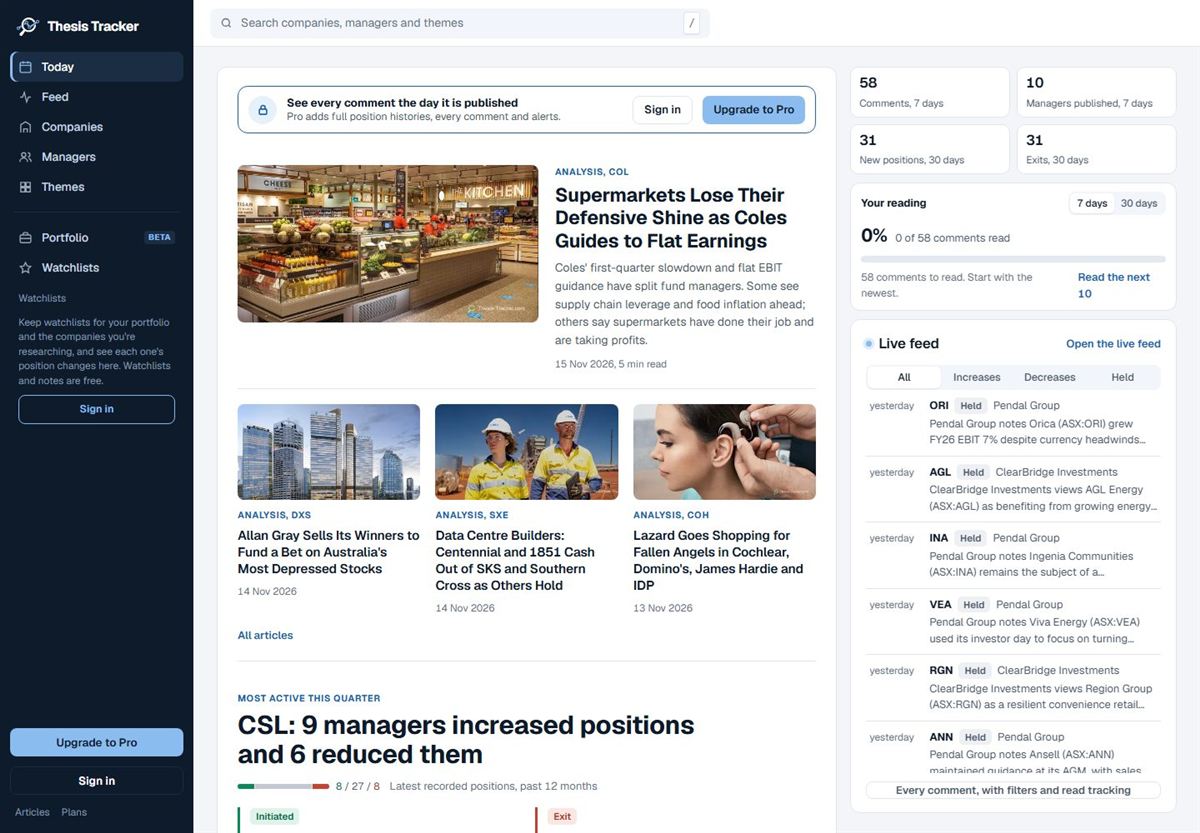
Today is the front page. It shows how many comments and managers published in the last seven days, new positions and exits in the last 30 days, the latest market articles, the company managers have been most active on this quarter, and the newest comments in the live feed.
The live feed: every new comment
The live feed lists comments as they are published, grouped by day. Filter it by text, by source type, by Increases, Decreases or Held, or (signed in) to the managers and companies you follow. You can mark items read as you go. Free visitors can read the two newest publications in full; Pro shows everything the day it is published.
Companies: filter by what managers are doing
The Companies list has a search box, sorting (most comments in 90 days, most recent comment, most managers covering, A to Z) and filters. The most useful filter is Manager activity, last 90 days:
- More increases: more managers reported opening or increasing a position than reducing or exiting.
- More reductions: the reverse.
- Both: managers reported moves in both directions, a sign the company is contested.
- First coverage: the company's first-ever manager comment was in the last 90 days.
You can combine it with sector, the number of managers covering (3+, 5+, 10+), how recent the latest comment is, and theme. Filters live in the page address, so you can bookmark or share a filtered list.
Advanced search: every company, every column
Advanced search, at the top of the Companies and Managers lists, opens a full table you can filter and sort by any column. For companies that includes market cap, distance from the 52-week high and low, P/E, dividend yield, return on equity, latest positions, 90-day changes, comments and managers covering.
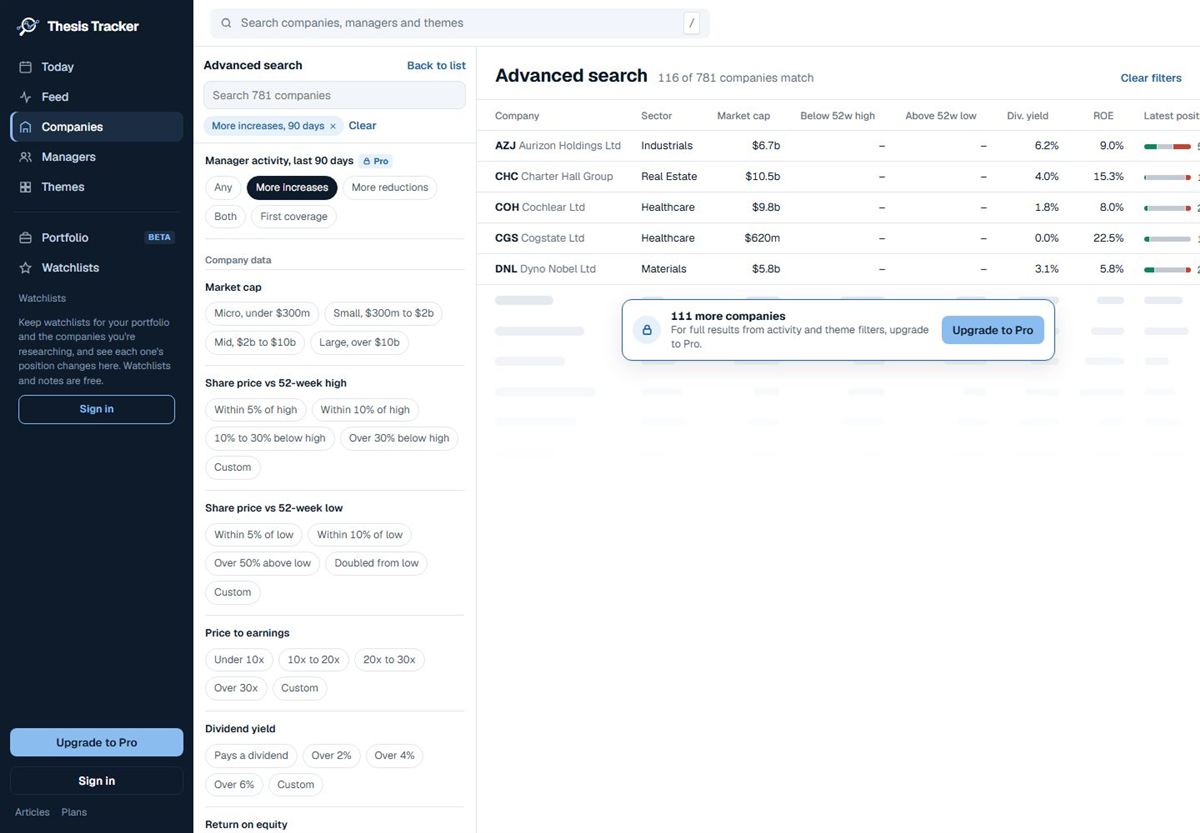
For managers, advanced search filters by investment style, market cap focus, what they mainly publish, how many companies they discuss and, with Pro, fund size and fund returns against the benchmark.
Search anything, anywhere
Press / or Ctrl+K (Cmd+K on a Mac) on any page to search companies, managers and themes by name or ticker. In a list, J and K step to the next and previous item.
Found something interesting? Add it to a watchlist so you can come back to it: see How to use watchlists.
Find companies where more fund managers increased than reduced in the last 90 days
- Open Companies. Choose Companies in the left-hand menu.
- Open Filters. Select the Filters button at the top of the list.
- Choose manager activity. Under Manager activity, last 90 days, choose More increases.
- Narrow it down. Optionally pick a sector, a minimum number of managers covering, or a theme.
- Sort and open. Sort by Most comments (90 days) and select a company to see what each manager said.
Questions
How do I see which companies fund managers are buying?
On the Companies list, open Filters and choose Manager activity: More increases. It lists companies where more managers reported opening or increasing a position than reducing or exiting in the last 90 days. These are reported position changes, not recommendations.
Is there a keyboard shortcut for search?
Yes. Press / or Ctrl+K (Cmd+K on a Mac) anywhere on the site to search companies, managers and themes.